What You Will Know After Reading This
- Why an oracle fusion cloud migration forces a Chart of Accounts (CoA) redesign, and how to map legacy segments to Fusion ledgers, value sets, and cross-validation rules.
- How to extract, cleanse, and sequence legacy master and open-transaction data into File-Based Data Import (FBDI) templates and ADF Desktop Integration (ADFdi) workbooks.
- How to replace custom PL/SQL and database links with REST/SOAP integrations orchestrated in Oracle Integration Cloud (OIC).
- How to convert EBS responsibilities into Fusion Role-Based Access Control (RBAC): job roles, duty roles, and data access sets.
- How to run cutover and prove subledger-to-GL reconciliation before you sign off go-live.
An oracle fusion cloud migration moves your finance, procurement, and supply chain operations from a database you control to a SaaS platform Oracle controls. That single shift changes how you load data, integrate systems, report, customize, and secure access. This checklist gives CIOs, ERP platform owners, and financial controllers the architecture decisions, data-loading mechanics, and cutover controls that determine whether month-end close survives go-live.
Table of Contents
- The Core Enterprise Reality: Why Fusion Cloud Is a Re-Implementation, Not an Upgrade
- Legacy vs. Fusion Shift Matrix: What Changes in an Oracle ERP Cloud Migration
- The Oracle Fusion Data Migration Pipeline (Visual Architecture)
- The Ekfrazo 5-Stage Oracle Fusion Cloud Migration Checklist
- Where ERP Migrations Fail: Hidden Customizations and Integration Bottlenecks
- Qualification Matrix: Phased Rollout vs. Big Bang ERP Migration
- How Ekfrazo Delivers Secure, Governed Oracle Architecture
- Frequently Asked Questions About Oracle Fusion Cloud Migration
The Core Enterprise Reality: Why Fusion Cloud Is a Re-Implementation, Not an Upgrade
Short answer: An Oracle Fusion Cloud migration replaces your ERP’s data model, integration layer, security model, and extension framework. You redesign the Chart of Accounts, cleanse master data, and rebuild integrations—you do not upgrade them.
Treating an oracle fusion cloud migration as a database lift-and-shift is the most expensive mistake an ERP program can make. Oracle E-Business Suite 12.2, JD Edwards, and SAP ECC all give your team direct access to the underlying database. Your finance and IT teams have spent a decade building on that access: PL/SQL concurrent programs, custom interface tables, database links to the data warehouse, Discoverer or custom SQL reports, and triggers that enforce business rules nobody documented.
Fusion Cloud removes all of it. There is no database login, no APPS schema, and no place to deploy a custom package. Oracle runs the platform on Oracle Cloud Infrastructure (OCI), applies a mandatory quarterly update (the 26A–26D cadence in 2026), and exposes your data only through:
- Inbound: FBDI, ADFdi spreadsheets, REST and SOAP web services, and Import Management for CX/customer objects.
- Outbound: OTBI subject areas, BI Publisher reports, BI Cloud Connector (BICC) extracts, REST APIs, and business events.
- Extensions: Visual Builder Studio, Application Composer, and PaaS applications on OCI.
The functional model differs too. Fusion’s General Ledger is built on an Essbase balances cube for each chart of accounts and calendar combination. Primary ledgers are defined by the “four Cs”: chart of accounts, calendar, currency, and accounting method. Subledger Accounting (SLA) rules govern every journal that Payables, Receivables, Assets, Cost Management, and Projects send to GL. A legacy CoA that grew organically—overloaded natural accounts, project codes jammed into a cost-center segment, intercompany handled by manual journals—will cripple reporting performance and close automation in Fusion.
The commercial context matters. Oracle has extended Premier Support for EBS 12.2 through at least 2037, so there is no forced deadline. The business case for an Oracle ERP cloud migration has to rest on measurable outcomes—faster close, lower infrastructure and DBA cost, access to embedded AI agents and quarterly innovation—not on an end-of-support scare. That makes design discipline more important, not less: a re-implementation that reproduces legacy complexity delivers the cost of change without the return.
Planning a Legacy ERP Migration? Stop guessing your integration architecture—Request an Oracle migration consultation to audit your legacy footprint with Ekfrazo’s senior architects.
Legacy vs. Fusion Shift Matrix: What Changes in an Oracle ERP Cloud Migration
Short answer: In an Oracle ERP Cloud migration, every architectural layer changes: database scripts become FBDI loads, DB links become OIC APIs, Discoverer and custom SQL become OTBI, and code customizations become governed SaaS extensions.
| Architectural Layer | Legacy ERP (e.g., EBS 12.2) | Oracle Fusion Cloud | Enterprise Risk if Ignored |
|---|---|---|---|
| Data Loading | SQL*Loader, custom interface tables, PL/SQL conversion scripts, direct inserts into open interface tables | FBDI (.xlsm template → CSV → ZIP → UCM → ESS import), ADFdi workbooks, REST APIs, HCM Data Loader for HCM |
Conversion scripts cannot be reused; teams discover late that FBDI enforces validations their scripts bypassed, so loads fail in mock cutover |
| Integrations | DB links, PL/SQL APIs, file drops to app server, custom concurrent programs | OIC Gen 3 with the ERP Cloud Adapter, REST/SOAP services, ErpIntegrationService for bulk import, BICC/BIP for extracts, business events |
Every point-to-point link breaks at go-live; banks, tax engines, MES, CRM, and the warehouse stop receiving data |
| Reporting | Discoverer, custom SQL, Oracle Reports, BI against replicated database | OTBI (real-time subject areas), BI Publisher, Smart View on GL balances cube, Fusion Data Intelligence for cross-pillar analytics | Controllers lose 100+ legacy reports on day one; close packs and statutory reports must be rebuilt and reconciled |
| Customizations | Forms personalization, custom schemas, triggers, modified seeded code | Configuration first; Visual Builder Studio, Application Composer, Groovy, and OCI-hosted PaaS extensions | Customizations that touch seeded logic have no equivalent; unchecked rebuilds on PaaS recreate technical debt outside the upgrade path |
| Security | Responsibilities, menus, request groups, custom security profiles | RBAC: abstract, job, duty, and data roles; data access sets; Security Console; optional Advanced Access Controls for SoD | Users inherit excessive privileges or cannot transact; auditors flag segregation-of-duties conflicts in the first close |
| Oracle Fusion Implementation Ownership | IT owns patches, upgrades, infrastructure, and DBA | Oracle owns infrastructure and quarterly updates; you own configuration, regression testing, and integrations | Untested quarterly updates break integrations and reports without warning |
Scenario Walkthrough: When Subledger Data Fails to Map to the Fusion General Ledger
Consider an illustrative manufacturer with 14 legal entities, a 4-day close on EBS 12.2, and a redesigned 7-segment Fusion CoA (Company, Cost Center, Natural Account, Product, Intercompany, Location, Future).
During the build, the team defines SLA account rules for Payables that derive the liability account from a supplier-site attribute. Legacy supplier sites carried a free-text “region” field that the conversion team mapped to the new Location segment. Nobody validated the mapping against the new cross-validation rules (CVRs).
At the first month-end after go-live:
- Create Accounting for Payables generates entries for 6,200 invoices. 1,140 fail because the derived account combination violates a CVR (Location values not permitted for two companies).
- Those invoices remain unaccounted. The Payables to Ledger Reconciliation Report shows a variance between subledger liability and the GL control account.
- AP, GL, and the controller’s office spend four days correcting supplier-site data, updating the mapping set, re-running Create Accounting, and posting manual adjustments.
- The close moves from day 4 to day 9. Intercompany eliminations wait on corrected balances. The audit firm requests a walkthrough of the manual adjustments.
At 35 finance staff × 5 extra days × 8 hours, that is roughly 1,400 hours of unplanned effort in a single close—before counting delayed management reporting, covenant reporting risk, or audit fees. The root cause was not Fusion. It was a mapping that was never tested against real data in a mock conversion. Phase 2 and Phase 4 below exist to catch this.
The Oracle Fusion Data Migration Pipeline (Visual Architecture)
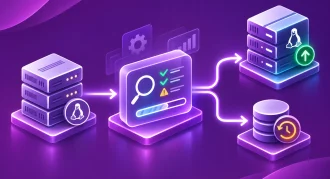
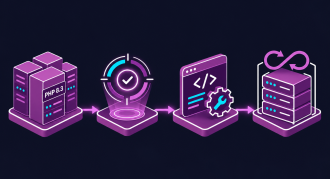
Short answer: Fusion data migration follows a fixed path: extract from legacy, cleanse and transform in a staging layer, generate FBDI files, upload to UCM, run ESS import jobs, then reconcile subledgers to GL.
+------------------+     +---------------------------+     +--------------------+
|  Legacy ERP DB   | --> | Data Cleansing &          | --> | FBDI CSV           |
|  (EBS / JDE /    |     | Transformation            |     | Generation         |
|   SAP ECC)       |     | - De-dup suppliers/cust.  |     | - .xlsm template   |
|  Extract via SQL |     | - CoA segment mapping     |     | - CSV -> .zip      |
|  or BODS/ODI     |     | - Open-item cut-off rules |     | - Control totals   |
+------------------+     | (Staging: OCI Autonomous  |     +---------+----------+
                         |  DB / Object Storage)     |               |
                         +---------------------------+               v
+------------------+     +---------------------------+     +--------------------+
| Subledger & GL   | <-- | Oracle Fusion Import      | <-- | UCM Server Upload  |
| Reconciliation   |     | Processes (ESS)           |     | - fin/payables/    |
| - AP/AR to Ledger|     | - Load Interface File for |     |   import           |
|   Recon Reports  |     |   Import                  |     | - prc/supplier/    |
| - Trial balance  |     | - Import Suppliers /      |     |   import           |
|   legacy vs.     |     |   Journals / Payables     |     | - fin/generalLedger|
|   Fusion         |     |   Invoices / AutoInvoice  |     |   /import          |
| - Sign-off pack  |     | - Error report -> fix loop|     | (manual or via OIC)|
+------------------+     +---------------------------+     +--------------------+
Reference OCI Architecture for Migration and Integration
Fusion SaaS runs on OCI, and the surrounding migration and integration estate should too. A typical Ekfrazo reference design includes:
- OCI Autonomous Database as the conversion staging and transformation layer, holding cross-reference (XREF) tables for legacy-to-Fusion IDs and CoA mappings.
- OCI Object Storage as the landing zone for legacy extracts and generated FBDI ZIP files, with retention policies for audit evidence.
- Oracle Integration Cloud (Gen 3) orchestrating FBDI uploads through the ERP Cloud Adapter, polling ESS job status, and retrieving error reports automatically.
- OCI Vault for integration credentials and certificates; no passwords embedded in integration flows.
- OCI IAM and private endpoints so on-premise systems that remain (MES, WMS, payroll) connect over FastConnect or site-to-site VPN rather than the public internet.
The Ekfrazo 5-Stage Oracle Fusion Cloud Migration Checklist
Short answer: A controlled Oracle Fusion Cloud migration runs in five gated stages: architecture and CoA design, data cleansing and FBDI formatting, OIC integration build, CRP and UAT validation, then cutover with subledger reconciliation.
Each phase ends with a gate. Do not move forward with open design decisions—they surface later as rework at three to five times the cost.
Phase 1: Architecture Assessment and Chart of Accounts (CoA) Redesign
Goal: Lock the enterprise structure and financial design before any data moves.
- Inventory the legacy footprint: modules, customizations (RICEFW: reports, interfaces, conversions, extensions, forms, workflows), integrations, and data volumes per object.
- Classify every customization: retire (standard Fusion covers it), reconfigure (setup or Groovy), rebuild (VBS/PaaS), or replace (third-party SaaS). Target retirement for at least half.
- Design the enterprise structure: legal entities, business units, ledgers (primary, secondary, reporting currencies), inventory organizations.
- Redesign the CoA: one meaning per segment; separate Product, Intercompany, and Location segments where reporting needs them; reserve a Future segment. Define value sets, account hierarchies (trees), and CVRs.
- Build the legacy-to-Fusion CoA mapping table at account-combination level, not just segment level. This becomes the master XREF for every conversion and the GL balance load.
- Define SLA strategy: which subledger accounting methods stay seeded, which need custom journal entry rule sets and mapping sets.
- Design RBAC: map each EBS responsibility to Fusion job roles (e.g., Accounts Payable Specialist, General Accounting Manager), then define data access sets for ledgers and data access by business unit. Run a SoD conflict analysis before roles are built.
- Load core setups via Functional Setup Manager and the Rapid Implementation workbook for GL (CoA, values, hierarchies, ledgers).
Gate 1 deliverable: signed solution design, CoA and mapping workbook, RICEFW disposition register, security role matrix.
Phase 2: Master Data Extraction, Cleansing, and FBDI Formatting
Goal: Load clean data that passes Fusion validation the first time.
- Set the conversion scope: master data (suppliers, customers, items, banks, employees), open transactions (open POs, unpaid AP invoices, open AR, open sales orders), and balances (GL, fixed assets). Agree what history stays in an archive rather than Fusion.
- Cleanse before you transform: de-duplicate suppliers on tax ID and bank account, close inactive supplier sites, standardize addresses, validate bank account numbers (IBAN/IFSC), and purge obsolete items.
- Download FBDI templates from the release you will go live on. Templates change with quarterly updates; a 25D template loaded into a 26B pod can fail on column order.
- Follow the load sequence—dependencies are strict:
| Seq. | Object | Typical Fusion Load Method | Dependency |
|---|---|---|---|
| 1 | CoA values, hierarchies, ledgers | Rapid Implementation workbook / FSM | Enterprise structure |
| 2 | Suppliers → sites → site assignments → bank accounts | FBDI (prc/supplier/import) |
Business units |
| 3 | Customers, accounts, sites | FBDI / Import Management | Reference data |
| 4 | Items and item organizations | FBDI | Inventory orgs |
| 5 | Open purchase orders | FBDI | Suppliers, items |
| 6 | Open AP invoices | FBDI (fin/payables/import) |
Suppliers, POs |
| 7 | Open AR transactions | FBDI / AutoInvoice | Customers |
| 8 | Fixed assets | FBDI mass additions → Post Mass Additions | Asset books, CoA |
| 9 | GL balances | FBDI Journal Import / ADFdi journal workbook | CoA mapping |
- Run at least three mock conversions (CRP, SIT, dress rehearsal) with record counts, control totals, and error rates recorded for each.
- Automate the load chain: use OIC or the
ErpIntegrationServiceimportBulkDataoperation to upload, trigger imports, and collect error output without manual UCM handling. - Use ADFdi for controlled manual loads such as opening journals and period-end adjustments, where finance users need spreadsheet-based entry with Fusion validation.
Gate 2 deliverable: mock-load scorecard showing ≥98% first-pass success on master data and 100% balance agreement on financial objects.
Phase 3: Integration Orchestration via Oracle Integration Cloud (OIC)
Goal: Replace every database-level integration with governed, monitored APIs.
- Catalog every legacy interface with direction, frequency, volume, protocol, and owner.
- Choose the pattern per interface:
- Real-time, low volume → Fusion REST APIs via the OIC ERP Cloud Adapter.
- High-volume inbound → FBDI orchestrated by OIC.
- Event-driven → subscribe to Fusion business events (e.g., invoice validated, PO approved).
- High-volume outbound → BICC extracts to Object Storage; BI Publisher for formatted files.
- Rewrite PL/SQL logic as OIC mappings, lookups, or Groovy in Fusion—not as stored procedures on an external database that recreate a shadow ERP.
- Standardize error handling: global fault handlers, retry policies, alerting, and a reprocess path for failed records.
- Secure the integrations: dedicated integration users with minimal roles, OAuth where supported, credentials in OCI Vault.
- Build regression packs for each integration so every quarterly update can be tested in the test pod before it reaches production.
Gate 3 deliverable: integration catalog with SIT evidence, monitoring dashboards, and runbooks.
Phase 4: Conference Room Pilots (CRPs) and User Acceptance Testing (UAT)
Goal: Prove end-to-end processes on converted data, with real roles.
- CRP1 — Fit: demonstrate standard Fusion flows (procure-to-pay, order-to-cash, record-to-report) on the configured enterprise structure.
- CRP2 — Validate: run flows with converted mock data, SLA rules, and live integrations.
- SIT: test end-to-end across Fusion, OIC, and external systems.
- UAT: business users execute scripted and exploratory tests using their production job roles—not a superuser. This catches RBAC gaps before go-live.
- Simulate a full period close in the test pod: Create Accounting, Transfer to GL, revaluation, translation, intercompany, consolidation, and the AP/AR to Ledger reconciliation reports.
- Rebuild priority reports in OTBI and BI Publisher; reconcile each against legacy output for the same period.
- Schedule a production-to-test (P2T) refresh before UAT so testers work on production-like configuration.
Gate 4 deliverable: UAT sign-off by process owners, closed defect log (zero severity-1), reconciled report pack.
Phase 5: Cutover Strategy, Subledger Reconciliation, and Go-Live
Goal: Move to production with balances that tie, to the cent.
- Publish an hour-by-hour cutover runbook covering legacy freeze, final extracts, loads, validations, and sign-offs.
- Close the legacy period completely: all subledgers accounted, transferred, and posted; trial balance frozen.
- Load in sequence, validate record counts and control totals after each object.
- Reconcile:
- Legacy trial balance vs. Fusion trial balance by mapped account combination.
- Open AP and AR aging in legacy vs. Fusion.
- Fixed asset cost and accumulated depreciation by book and category.
- Subledger-to-GL with the Payables and Receivables to Ledger Reconciliation Reports.
- Obtain formal sign-off from the controller before opening the first Fusion period.
- Run hypercare for at least one full close cycle, with daily triage and integration monitoring.
- Archive legacy data to a read-only store for audit and statutory retention.
Gate 5 deliverable: signed reconciliation pack, go/no-go decision record, hypercare exit report.
Where ERP Migrations Fail: Hidden Customizations and Integration Bottlenecks
Short answer: ERP migrations fail when teams assume legacy PL/SQL, dirty master data, and custom reports will carry over. In Fusion Cloud, none of them do—each must be retired, rebuilt, or cleansed before cutover.
1. Custom PL/SQL with no SaaS home. Legacy EBS estates commonly carry hundreds of custom concurrent programs. Teams discover late that business rules—approval logic, pricing overrides, accrual calculations—lived inside triggers and packages that no one documented. In Fusion, there is no place to run them. Prevention: code-scan the custom schema in Phase 1 and force a disposition decision on every object.
2. Duplicate and stale supplier data loaded via FBDI. FBDI validates structure, not business sense. Three supplier records for the same vendor with different bank accounts will load successfully—and create duplicate-payment and fraud exposure on day one. Prevention: de-duplicate on tax registration and bank account, and require procurement sign-off on the cleansed supplier master before Mock 2.
3. Poor OTBI report mapping. OTBI reports run on subject areas, not tables. A legacy report that joined twelve tables may need a BI Publisher data model, a Fusion Data Intelligence view, or a redesign. Programs that defer reporting to “post go-live” leave controllers without close packs. Prevention: rank reports by business criticality, rebuild the top tier during CRP2, and reconcile them in UAT.
4. Integrations without error handling. A point-to-point PL/SQL interface failed loudly in the database. An OIC flow without fault handling can fail silently, leaving bank statements unloaded or invoices stuck. Prevention: mandatory fault handlers, alerting, and a reprocessing runbook for every integration.
3 Questions CIOs Must Ask Their Implementation Partner Before Cutover
- “Show me the mock-conversion scorecard.” You need record counts, error rates, and control totals for every object across at least three mocks—with the final mock run on the go-live release.
- “Which legacy customizations did we retire, and who signed off?” Every RICEFW item should have a disposition and a business owner. Unassigned items become production incidents.
- “How will we regression-test the next quarterly update?” If the answer is not an automated test pack covering integrations, SLA rules, and critical reports, your first update will be your first outage.
Qualification Matrix: Phased Rollout vs. Big Bang ERP Migration
Short answer: Choose a phased rollout when you run many legal entities, heavy integrations, or limited change capacity. Choose big bang when your footprint is compact, processes are standardized, and leadership accepts concentrated disruption.
| Criterion | Phased Rollout (e.g., Financials first, SCM later) | Big Bang (all modules at once) |
|---|---|---|
| Typical timeline | Longer overall (often 18–30 months across waves) | Shorter (often 9–15 months to go-live) |
| Business disruption risk | Lower; contained to one pillar or region per wave | Higher; every process changes on one weekend |
| Temporary integrations | Required (e.g., Fusion GL ↔ legacy SCM bridge) | None; single cutover |
| Reconciliation complexity | Repeated per wave; bridge reconciliation needed | Concentrated into one cutover |
| Change management load | Spread across waves; lessons carry forward | Peak load on finance, procurement, and operations at once |
| Best fit | Many legal entities, multiple ERPs, heavy custom integrations, regulated reporting | Single ERP instance, standardized processes, strong executive sponsorship |
| Oracle Fusion implementation cost profile | Higher total cost due to bridges and extended team | Lower total cost; higher peak cost and contingency |
Ekfrazo’s guidance: most multi-entity enterprises reduce risk by going live with Financials (GL, AP, AR, FA, Cash Management) first, either globally or by region, then adding Procurement and SCM. The bridge integration to legacy SCM is a deliberate cost that buys a stable financial core before operational complexity arrives.
How Ekfrazo Delivers Secure, Governed Oracle Architecture
Short answer: Ekfrazo treats Oracle Fusion as the operational core of its CX, EX, and OX framework, delivering migrations with ISO/IEC-aligned governance, OIC-based integration, least-privilege RBAC, and auditable data reconciliation at every gate.
Ekfrazo’s enterprise digital transformation practice connects three layers: Customer Experience (CX), Employee Experience (EX), and Operational Experience (OX). OX depends on clean financial and supply chain data. If supplier masters are duplicated, if the CoA cannot answer product-margin questions, or if integrations fail silently, every downstream experience degrades—customers see delayed orders, employees fight reconciliation spreadsheets, and leadership makes decisions on stale numbers.
Our Oracle Cloud integration services apply that principle to every migration:
- Architecture-led assessment: RICEFW code scans, CoA and enterprise-structure design, and an OCI reference architecture before configuration starts.
- Engineered data migration: OCI-based staging, XREF-driven transformation, OIC-automated FBDI loads, and mock-conversion scorecards.
- Integration orchestration: OIC Gen 3 patterns for REST, FBDI, business events, and BICC extracts, with standardized error handling and monitoring.
- Governed security: RBAC role design, SoD conflict analysis, and least-privilege integration users.
- Audit-ready cutover: reconciliation packs that tie legacy trial balances, subledgers, and Fusion GL to the cent, with sign-off evidence retained for auditors.
- Post-go-live resilience: quarterly-update regression packs so 26C, 26D, and every release after them land without disruption.
Ready to De-Risk Your Oracle Fusion Cloud Migration?
Ekfrazo’s senior Oracle architects will assess your legacy footprint—customizations, integrations, CoA, and data quality—and give you a sequenced migration plan with clear gates and reconciliation controls.
Frequently Asked Questions About Oracle Fusion Cloud Migration
Short answer: These answers address the questions CIOs and controllers ask most often about Oracle Fusion Cloud migration timelines, tooling, data loading, integrations, and whether an EBS-to-Fusion move counts as an upgrade.
Is moving from Oracle EBS to Oracle Fusion Cloud an upgrade?
No. An oracle fusion cloud migration from EBS is a full re-implementation. Fusion uses a different data model, security model, and integration framework, so you redesign the Chart of Accounts, cleanse and reload data through FBDI, and rebuild integrations in Oracle Integration Cloud.
How long does an Oracle ERP Cloud migration take?
A Financials-only Oracle ERP Cloud migration typically takes 6–12 months. Programs that add Procurement, SCM, and multiple legal entities often run 12–24 months or longer when phased. Data quality, customization volume, and integration count drive the timeline more than module count.
What tools are used to load data during an Oracle Fusion implementation?
An Oracle Fusion implementation uses File-Based Data Import (FBDI) for bulk master and transactional data, ADF Desktop Integration (ADFdi) spreadsheets for controlled loads such as journals, REST and SOAP APIs for programmatic loads, and HCM Data Loader for HCM objects.
How do legacy PL/SQL integrations work after an Oracle Fusion Cloud migration?
They do not carry over. Fusion Cloud provides no direct database access, so PL/SQL interfaces and database links must be rebuilt as REST or SOAP integrations, FBDI orchestrations, or business-event subscriptions, usually managed through Oracle Integration Cloud with centralized monitoring.
Do we need to redesign our Chart of Accounts for an ERP migration to Fusion?
In most cases, yes. Fusion’s GL balances cube, cross-validation rules, and Subledger Accounting perform best with a clean, single-purpose segment structure. An ERP migration is the lowest-cost moment to fix overloaded legacy segments that block automated close and margin reporting.