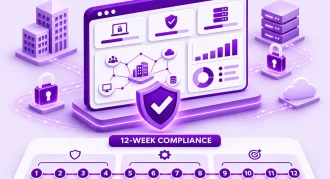
Enterprises migrate from VMware to Hyper-V in a structured, low-risk way by working through five phases in order: check renewal exposure and inventory the estate, choose a target architecture (Windows Server Hyper-V or Azure Local), prove the path on a dev/test pilot, move production in planned waves with tested rollback plans, and then validate and operate the new platform. Done this way, a VMware to Hyper-V migration becomes a series of small, reversible decisions instead of one high-stakes cutover.
That structure is exactly how our VMware migration services are designed, and it reflects what the wider market is doing. Since Broadcom’s acquisition of VMware, the shift to subscription-only bundles has pushed many infrastructure leaders to re-examine their renewal before signing. A CloudBolt survey reported that 86% of VMware customers had reduced their VMware usage two years after the acquisition, while an Everywan analysis reported that only around 4% have fully left VMware and just over half are moving in phases. (These figures are vendor- and analyst-reported and have not been independently verified by Ekfrazo.)
The takeaway: most enterprises aren’t making one big leap. They are moving deliberately, workload by workload. For Microsoft-heavy estates, Hyper-V and Azure Local are often the first platforms on the shortlist. This guide explains when that choice makes sense and how to execute it safely.
Table of Contents
- When Hyper-V (or Azure Local) Is the Right Fit
- Step-by-Step VMware to Hyper-V Migration Plan
- VMware to Hyper-V Migration Tools Compared
- VMware to Hyper-V Migration Best Practices & Common Pitfalls
- Frequently Asked Questions
- How Ekfrazo Helps
When Hyper-V (or Azure Local) Is the Right Fit
Hyper-V is a mature, enterprise-grade hypervisor, but it is not the right answer for every estate. It tends to be a strong fit when:
- Your estate is Windows Server-heavy. Domain controllers, file servers, IIS, SQL Server, and line-of-business Windows apps all run naturally on Hyper-V.
- You already hold Microsoft licensing. Windows Server Datacenter, Software Assurance, and System Center entitlements may already cover much of the target platform. Validate this with your licensing advisor before assuming it.
- Your team has Windows and PowerShell skills. Operational retraining is lighter when admins already manage Active Directory, Failover Clustering, and Windows Server.
- You have a hybrid Azure strategy. Azure Local connects on-premises infrastructure to Azure Arc, Azure Monitor, and Azure governance tooling.
Another path may make more sense when:
- You depend heavily on NSX, vSAN, or Horizon VDI, or your renewal date is too close to migrate safely. Staying and optimizing (rightsizing, consolidating clusters, renegotiating scope) can be the smarter move for this cycle.
- Your estate is mostly Linux or container-bound. OpenShift Virtualization can run VMs and containers on one platform.
- You want turnkey hyperconverged operations outside the Microsoft ecosystem. Nutanix AHV is a common alternative.
- You have smaller, cost-sensitive clusters and Linux-skilled teams. Proxmox VE can be a practical option.
- Workloads are elastic or being modernized. Partner private cloud or public cloud may fit better.
Ekfrazo is vendor-neutral. We recommend Hyper-V only after the estate assessment confirms it fits your workloads, skills, and budget.
Step-by-Step VMware to Hyper-V Migration Plan
Step 1: Renewal Exposure Check & Estate Inventory
Before choosing any platform, establish what you have and how much time you have. Capture:
- VMs: count, guest OS versions, BIOS vs. UEFI firmware, disk sizes, and snapshot state
- Compute: hosts, sockets, and physical cores currently licensed
- Databases: SQL Server, Oracle, and other licence-sensitive workloads
- VDI: Horizon pools and user counts
- DR and backup: replication tools, recovery objectives, and runbooks
- Dependencies: application-to-VM mapping, NSX rules, load balancers, and storage integrations
- Renewal date: contract end, notice periods, and any bridge or short-term renewal options
The output is a clear view of renewal exposure, which tells you whether a full migration, a partial move, or a short bridge renewal is realistic.
Step 2: Platform Shortlist & Target Architecture
If Hyper-V is shortlisted, the next decision is Hyper-V on Windows Server vs. Azure Local:
- Windows Server Hyper-V suits teams that want traditional on-premises clusters, managed with System Center Virtual Machine Manager (SCVMM) or Windows Admin Center, using existing SAN or Storage Spaces Direct.
- Azure Local is Microsoft’s hyperconverged platform on validated hardware, managed through the Azure portal and Azure Arc. It suits organizations that want cloud-style management and Azure services on-premises, with a subscription billing model.
Design decisions to lock down at this stage include storage (SAN, Storage Spaces Direct, Cluster Shared Volumes), networking (virtual switches, Switch Embedded Teaming, VLAN design), management tooling, backup and DR compatibility, and licensing for Windows Server, SQL Server, and third-party applications.
Step 3: Dev/Test Pilot
Prove the migration path on non-critical workloads first. Choose a representative sample of dev/test VMs: Windows and Linux, BIOS and UEFI, small and large disks. Measure:
- Conversion or replication time per VM and per terabyte
- Actual cutover window and boot success rate
- Post-migration fixes needed (drivers, IP addresses, agents, licensing)
- Whether rollback works as documented
The pilot produces your migration runbook and realistic timings for planning production waves.
Step 4: Planned Migration Waves
Production moves in low-risk batches grouped by application dependency, business criticality, and maintenance windows. Start with lower-risk workloads and save tier-1 systems for later waves, once the runbook is proven.
Wave checklist:
- Confirm the wave scope: VMs, application owners, and dependencies
- Obtain business sign-off on the cutover window and rollback criteria
- Verify current backups of all in-scope VMs
- Start pre-seeding replication where the tool supports it
- Confirm target capacity: compute, storage, and network headroom
- Map port groups to Hyper-V virtual switches and VLAN IDs
- Execute cutover: final sync, shut down source, start target
- Run smoke tests with application owners
- Make a go/no-go decision within the agreed time box
- Keep source VMs powered off but intact until the rollback window closes
- Update CMDB, monitoring, and backup jobs
- Hold a wave retrospective and update the runbook
Step 5: Post-Migration Validation & Managed Operations
Migration isn’t complete when the VM boots. Validate performance against pre-migration baselines, confirm monitoring and alerting coverage, verify backups run and restore successfully, and run a DR test on the new platform. Then hand over to steady-state operations, either in-house or as a managed service, with patching, capacity management, and regular DR testing built in.
VMware to Hyper-V Migration Tools Compared
No single tool fits every wave. Most enterprise programs combine two or more.
| Tool | Best For | Key Limitation |
|---|---|---|
| Microsoft System Center Virtual Machine Manager (SCVMM) | Estates already using System Center; bulk V2V conversion from vCenter into managed Hyper-V clusters | Conversion is offline (source VM must be powered off); VMware Tools must be removed first; VMs with IDE-attached disks or pass-through disks aren’t supported |
| Azure Migrate (to Azure Local) | Organizations targeting Azure Local; agentless replication orchestrated from the Azure portal while data stays on-premises | Designed for Azure Local (and Azure) targets, not standalone Hyper-V hosts; requires an Azure subscription and appliance setup |
| Windows Admin Center VM Conversion extension | Small-to-midsize waves into Windows Server Hyper-V; free, replication-based conversion | Newer tool, launched in preview in 2025; confirm current support status and scale limits before production use |
| Veeam / third-party backup-based replication | Teams already running an enterprise backup platform that supports restoring VMware backups to Hyper-V | Requires product licensing; post-restore fix-ups (drivers, networking) still needed; cutover window depends on final sync |
| StarWind V2V Converter | One-off disk conversions (VMDK to VHDX), labs, and edge cases | No wave orchestration at scale; VM configuration often rebuilt manually |
Tool capabilities change frequently. Check each vendor’s current documentation and support matrix during Step 2.
VMware to Hyper-V Migration Best Practices & Common Pitfalls
Use this checklist alongside your runbook:
- Handle VMware Tools in the right order. Some tools (such as SCVMM) require VMware Tools to be removed before conversion; others need them present during replication. Follow each tool’s documented sequence and remove them after cutover.
- Verify integration services. Modern Windows guests receive Hyper-V integration components through Windows Update; most current Linux kernels include Hyper-V drivers. Confirm both, especially on older guest OS versions.
- Choose the right VM generation. BIOS-based VMs typically map to Generation 1; UEFI-based VMs to Generation 2. Check Secure Boot templates for Linux guests.
- Map networks and VLANs precisely. Document every port group, VLAN ID, static IP, and MAC-dependent configuration. NIC names often change after conversion and can break scripts or firewall rules.
- Plan storage conversion (VMDK to VHDX). Consolidate snapshots first, decide between dynamic and fixed disks, and identify RDMs or pass-through disks that need separate treatment.
- Validate licensing. Confirm Windows Server and SQL Server licensing on new hosts and check third-party applications licensed to hardware IDs or MAC addresses.
- Test rollback, not just migration. Rehearse rollback in the pilot, define a time-boxed decision point, and keep source VMs intact until the window closes.
Common pitfalls include migrating without dependency mapping, treating backup and DR re-platforming as an afterthought, forgetting monitoring and security agents, and scheduling waves without application-owner sign-off.
Frequently Asked Questions
How long does a VMware to Hyper-V migration take?
It depends on estate size, application complexity, and change windows. A small estate may move in weeks, while large enterprise estates typically run as multi-month programs delivered in waves. The dev/test pilot in Step 3 gives you realistic per-VM timings to build a dependable schedule.
Can you migrate from VMware to Hyper-V without downtime?
No responsible partner should promise zero downtime. Replication-based tools and well-planned waves can reduce each VM’s cutover to a short, scheduled window, but a final sync, shutdown, and restart are still required. Plan cutovers inside agreed maintenance windows with tested rollback plans.
What tools are best for migrating VMware VMs to Hyper-V?
Common options include SCVMM for System Center environments, Azure Migrate for Azure Local targets, the Windows Admin Center VM Conversion extension, backup-based replication tools such as Veeam, and StarWind V2V Converter for one-off disk conversions. Most enterprises combine tools based on workload type and target platform.
Should we choose Hyper-V or Azure Local?
Choose Windows Server Hyper-V if you want traditional on-premises clusters using existing hardware and System Center. Choose Azure Local if you want hyperconverged infrastructure on validated hardware with Azure portal management and Azure Arc integration. Your hardware refresh cycle, operating model, and Azure strategy should drive the decision.
What should we check before our VMware renewal date?
Confirm your contract end date and notice periods, current core and VM counts, licence-sensitive workloads (databases and VDI), DR dependencies, and how much of the estate could realistically move before renewal. This tells you whether to migrate, partially migrate, or negotiate a short bridge renewal.
How Ekfrazo Helps
Ekfrazo takes a vendor-neutral, five-step approach to VMware decisions: renewal exposure check and inventory, platform shortlist and target architecture, dev/test pilot, planned migration waves, and post-migration validation with managed operations. You can stop after any step: some clients only need the exposure check to negotiate their renewal with confidence, while others take us through to full migration and steady-state operations.
Facing a VMware Renewal?
Whether your best path is Hyper-V, Azure Local, another platform, or staying and optimizing VMware, our VMware migration services are built to help you decide with evidence rather than pressure.
Book a free 30-minute renewal-exposure call with our infrastructure team: [Insert Booking Link Here] →